Felicia Davis
SLM 521 - Spring 05
Internet Course Module


ON-LINE PHOTO SHARING SITES:
An Internet Course Module

camera


Objectives:
     
        » Students will be able to search for on-line photo sharing sites and find such sites on the web.

        » Students will become familiar with the different kinds of photo sharing sites available on the web.                          

        » Students will evaluate on-line photo sharing sites for their usefulness and effectiveness.


Introduction:

Remember when you wanted to share photos of your most recent field trip or your students'science projects with their parents?  By the time you got the film developed and set up the bulletin board it was a week later, and many of the parents never visited the school to see them anyway.  Well, a digital camera may just be the solution to this problem.

As the technology improves, the cost of digital cameras decreases, making them a practical and successful tool for instruction in today's classrooms.  The immediate results one can get with a digital camera allow teachers to rethink the old uses of classroom cameras. Teachers are able to record and share classroom events in "real time."  While it is not always necessary or appropriate to share images instantaneously, the potential of that capability gives new opportunities to students and teachers.  

A digital camera will allow you to take a picture and get an immediate result, but how does it make it easier to share them with parents?  The answer to that question is on-line photo sharing sites. Many parents are not able to get to school very often.  But these days most people have access to the Internet.  Photo sharing sites allow a teacher to post classroom photos under a specific heading.  Parents and students are given an access code or password that enables them to view the photos from any computer connected to the Internet.  Students will have a way to share their classroom experiences with their parents, and teachers will have a way to share the activities and progress of the students with the parents.

This activity will help you find photo sharing sites on the Internet and determine which ones would be the best to use.


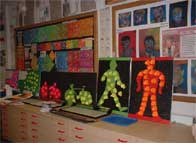
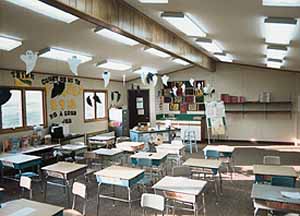
                                                student projects                             classroom
                                                        Show recent student projects!                                         Share a current view of the classroom!

Activity:

There are many sites on the web that will allow you to open an account ("photo album") and post digital photos to the account.  Other people, such as friends, family, students, and parents, would be able to view these photos on-line using a password.  Some of these sites are free, some require a registration fee, and some have a free basic service with a fee for more advanced capabilities.  Some examples are as follows:

                Photo Duck
                http://www.photoduck.com/default.aspx

                Photosite
                http://www.photosite.com/

                Smug Mug
                http://www.smugmug.com/index.mg?adtype=adwords&adname=photo%20sharing&addays=30


Using different search engines, find as many of these sites as you can.  Try a few variations with your wording and see if it yields different results. For example, try "photo sharing sites" first, then add "free" to it and see what happens.  Other possibilties may include words like photo album, photo gallery, and digital photo sharing. Take time to peruse as many of these sites as you can.  Try out the features they offer.  What services do they offer for free?  What services are accessible to you once you pay the registration fee? Overall, pay attention to their organizational capabilities, their usefulness, and their effectiveness.


Assignment:

Generate a brief list of criteria to use to evaluate the on-line photo sharing sites.  Use your criteria to evaluate at least four of the sites ( providing a rank is optional). Create a list of photo sharing sites with a brief annotation, including the name of the site and the URL.  Indicate the strengths and weaknesses of the site based on your own criteria list.  

Submission:

Make this activity an html file.  Make sure that the links to the other sites are live.  Send an e-mail to your instructor containing a hot link and the URL for this assignment.

Rubric:


unacceptable
developing
accomplished
list of criteria
criteria list is confusing and disorganized
criteria list is partially defined but some points are unclear
criteria list is well defined and fully developed
quality of evaluation
 lacks specific details about the strengths and weaknesses of the site
some strengths and weaknesses are included but not enough to make a clear evaluation
strengths and weaknesses of the site are clearly explained
complete annotation
annotation does not include the name of the site or the URL
annotation is missing either the name of the site of the OR the URL
Both the name of the site and the URL are included


Related Information:

If you are interested in reading more about the many instructional uses of digital cameras in the classroom, go to the following site written by Keith Lightbody.  Mr. Lightbody is an Australian educator with experience in teaching and developing educational programs on information and communications technology.

                Digital Cameras Enhance Education
                <http://members.ozemail.com.au/~cumulus/digcam.htm#TOP>