
1. You can get viruses from executable files or infected diskettes, but not from just being on the Internet or an online service.
2. You should remove any diskette from your A drive as soon as you're finished with the disk. On most computers, you can also disable floppy disk booting, to prevent infection from a disk left accidentally in a disk drive.
3. If you download any Microsoft Office files (including Word or Excel), don't open them with the application but with a viewer program (because they can contain executable macro files that can be opened when they're opened).
4. Make sure to create backups for your files - two is best.
5. Check all new software for viruses before installing it on your computer. Even new software from publishers can be infected with viruses.
6. If you download anything, download it to a disk NOT directly onto your computer.
7. Never double-click on an
attachment that contains an executable files that arrives as an e-mail
attachment. Executable files have extensions like  EXE, COM or VBS.
8. You should have active, updated virus scanning on your computer. Some savvy computer users insist on having two or three programs running, to try to catch as many viruses as possible. Remember, viruses are constantly being altered, so updated scanning is essential. A few of the more popular programs are:
 You can purchase software and also an online scanning program, as well as check
out current virus news. http://mcafee.com
You can purchase software and also an online scanning program, as well as check
out current virus news. http://mcafee.com
 Symantec offers many virus protection packages, including the popular Norton
Anti-Virus. They have an updating feature called Live update, to
incorporate new virus definitions. You can also check out the latest virus
threats. http://www.sarc.com/
Symantec offers many virus protection packages, including the popular Norton
Anti-Virus. They have an updating feature called Live update, to
incorporate new virus definitions. You can also check out the latest virus
threats. http://www.sarc.com/
 Trend Micro provides different protection devices, including an online scan
called Housecall. http://housecall.antivirus.com/
Trend Micro provides different protection devices, including an online scan
called Housecall. http://housecall.antivirus.com/
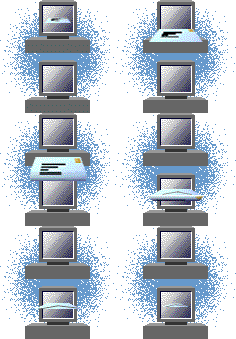
When you receive those e-mails warning of viruses - BEWARE! They are often the virus, and by sending it on to warn your friends as requested, you are spreading the virus! What you should do is check one of the sites below to see if there is a virus warning, or if you have been the victim of a hoax. You can type in (or copy and paste) the name of the virus and search a database of known viruses and hoaxes. Remember - any virus warning could be genuine - just check it out before sending it on! Don't just ignore those warnings - they might save your computer!
CERT Coordination Center - http://www.cert.org
Symantec AntiVirus Research Center - http://www.sarc.com
McAfee Virus Information Library - http://vil.mcafee.com
To check out HOAXES, go directly to:
To help educate your friends about hoaxes, send them a letter about the dangers of spreading those virus warnings. Click below for a letter you can copy to use if you want!
I hope you've found the above information about viruses helpful. Now - stay safe out there on the Information Highway!


Return to Karen Crossley's Index Page