Leah Dantinne
Course Module
Image Finding


Objectives:
Students will be able to
locate specific images using the internet
Students will be able to enhance
their projects visually using their new knowledge of the web
Students will be able to
explain what clip art is
Introduction:
How many times have you looked at a classmate’s or adult’s work and were
amazed by the pictures? Have you ever
felt like you would also like to add pictures to enhance your projects and
support your ideas? Well that is what
image finding is all about. There is a
wonderful resource available to you called the Internet and using this tool,
you can usually find almost any image you need.
One important caution is to abide by copyright laws that we have
previously discussed, but if you are using your images for educational and
private use, you should be okay. Make
sure as you complete this activity and others in the future, you ask an adult
or teacher if unsure what the rules are.
Activity:
Today we will be learning
exactly how to find images using the Internet.
1. first
let’s look at clip art. Clip art are
small images that you can use to support your work or establish a point. They are often more universal and were
created on the computer. They often
appear cartoonish.
Below is an example of clip art.
Click on the clip art image of a book to see a fantastic clip art site.
. .
Did you see the type of
images that are considered clip art?
Could you use this site in the future for other images?
2. Let’s look at a few more clip art sites. Click on the addresses below to visit other
clip art sites . . .
http://www.freeclipartpictures.com/
http://www.school.discovery.com/clipart/index.html
3. There are many other
types of images we may want to find and while clip art is a good resource, it
is very general. What if you need a
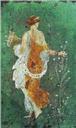
specific image such as the painting of Primavera below? An excellent place to find both specific and
general images is http://www.picsearch.com/ click on the image of Primavera to go to Picsearch and see what is available other than clip art . .
.
Did you like Picsearch? I use it
often to find all types of images. Using
this site can be difficult however because they give you many images from all
over and they vary from personal photography, famous artwork, posters, graphic,
to advertisements and more.
4. Another source for finding
images is http://www.google.com/ this is a great search engine but also
has a images search. Let’s go to google’s images and see if we can find a picture of a
tiger. When you get to google, click on images at the top and type tiger in the
search box. Many tiger pictures should
appear. Select one and right click on
the image. Then click save picture as
and type tiger and your tiger picture will be saved on your computer. To recall
the image, open Miscrosoft Word and click on
insert. Then chose from file and click on
the image to display and click on insert.
Your picture will then be inserted on the page. Let’s try this. Click on the image below to get to the google site . . .
Did
you find a tiger and save it? I;m glad you are learning how to
image find and you should be able to find clip art and other images using these
great sites. It’s time to find images on
your own.
Assignment:
You
task is to put to use your new image finding ability. Let’s pretend your art teacher wants you to
complete a project on Roman art and architecture. (I know she would never what you to learn
about something so old J) You want to spice up your paper with roman
images to help convey your ideas. You
must find three images and save them to your disk, open them in word, and place
them in a cover sheet that will be printed out for me.
1.
go to one of the clip art sites and find a roman
image, save your image just as we did in our activity.
2.
go to picsearch and find
another roman image, save your image just as we did in our activity.
3.
go to google and find a
third roman image, save your image just as we did in our activitiy.
4.
Open Microsoft Word and place all three images on your document.
5.
Add the title “Roman Culture” at the top and include your name somewhere on
your document.
6. raise your hand when
you have completed these 5 steps and I will come to help you save and print
your assignment.
(remember, you should have 5 parts to your assignment 3
pictures, a title, and your name)
(you may want to find different types of pictures such as a
column, a photograph of ruins, or a drawing of a famous emperor-you can have
any type of image you want as long as it is roman)
Resources:
http://www.freeclipartpictures.com/
http://www.school.discovery.com/clipart/index.html
This are the web sites you will probably need to use to do
the assignment. You may not need to
visit all of them.
Rubric:
The assignment will be
assessed using the following rubric. I
am looking to see that you have created page on tigers that comibines
three images and has incorporated text (your title and name). I would like you to show your profciencey of the task and am grading mostly on
completion.
|
|
1 |
3 |
5 |
|
Picture finding |
You have a picture |
You have 2 pictures |
You have 3 pictures and
they are different types of images |
|
Picture relevancy |
Your picture is a roman
image |
Your pictures are of
different roman images and are different types of images |
Your pictures are of 3
different roman images and are 3 different types of images. Your images all work to together to show
the roman civilization |
|
Final sheet |
You have a final printed
out copy |
You have a title or your
name on your final copy |
You have a title and your
name on your final copy |
|
Total assignment |
You have a final project
to turn in |
Your final project has all
5 elements and shows your ability to image find |
Your final project has all
5 elements, shows your ability to image find and works together nicely as a
whole |
Conclusion:
You
should now have an understanding about how to find images on the web to enhance
and help your work. I hope you enjoyed
finding images on roman civilization and will be able to use your new skills in
the future. Just be careful any time you
use the web for images that you are following the copyright rules we discussed
earlier!